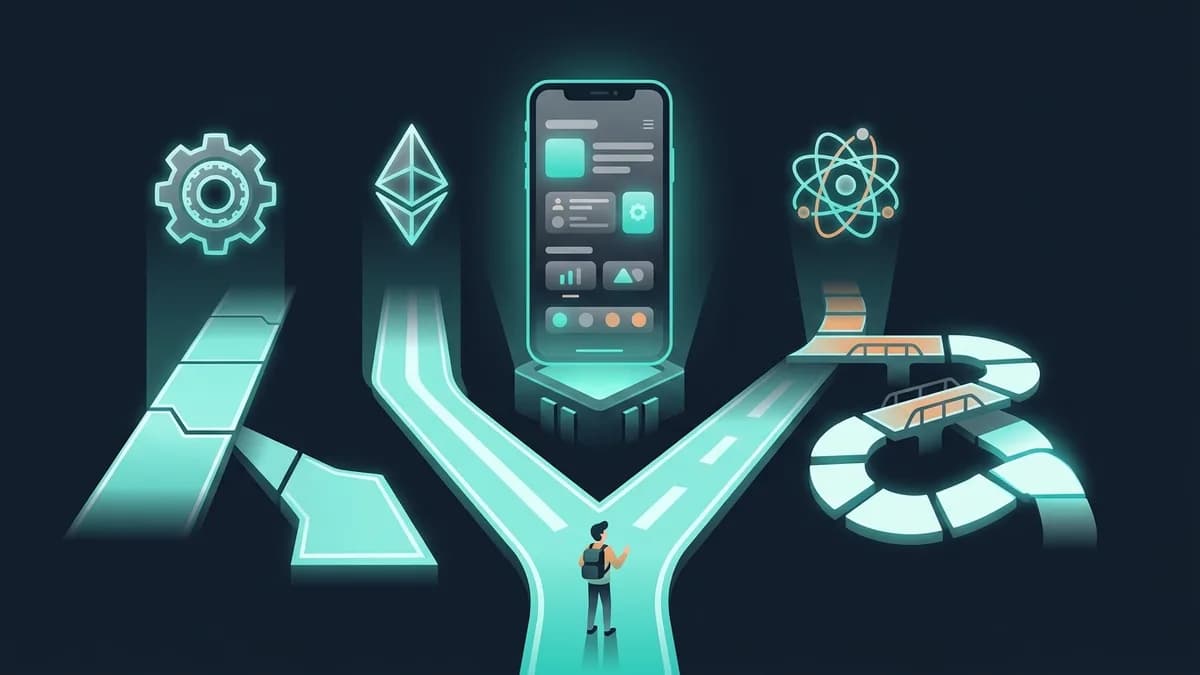

March Code
Service

iOS App Development

A native iOS app in Swift: an MVP core from $9,900 in 6–8 weeks, published on the App Store. A clickable prototype of the key screens in 5 days, free, before any contract

Demo in 3–5 daysfree, before any contract
from $9,900transparent quote
13+ yearsof founder experience · US, Europe, CIS

Free consultation · 30 minutes · No obligation

Cost
from $9,900
First step
A prototype of the key screens in 5 days, free
First paid stage
An MVP core in Swift: from $9,900, 6–8 weeks
  • Quote in 24 hours
  • Pay by stage
  • Your code from day one
  • Weekly demos
  • 3-month warranty
  • Contract and invoices

Telegram @marchcode · info@march-code.tech · Mon–Fri 9:00–18:00 Central European time, and on Telegram we reply outside these hours too

When it matters

Situations where we help

If you recognize even one, we can be useful

01

Cross-platform runs into the limits of native APIs

Flutter and React Native are great for 80% of tasks. But if your product relies on AR, complex gestures, camera ML, HealthKit or CarPlay, cross-platform will hit its limits. Native Swift gives you 100% access to Apple's APIs, with no bridges and no lag.

02

Apple users spend 2x more, but your UX feels like an Android port

iOS users expect a certain level of UX: gestures, haptic feedback, context menus, widgets. An app that ignores the Human Interface Guidelines ends up with a 3.5 rating and loses 40% of its paying audience.

03

The App Store rejects your app, and the deadline is on fire

Every rejection means at least 2–5 days of waiting for another review. Developers without App Review experience go through 3–4 rounds. We know the pitfalls: we pass review on the first attempt, and when a rejection is disputable, we work through it and resubmit at no extra cost.

04

2% subscription conversion instead of 8% because of IAP

StoreKit 2, promotional offers, grace periods, Family Sharing: all of it affects revenue. Mistakes in the subscription setup cost tens of percent of MRR. And Apple changes the rules every year.

Let's estimate the budget for your task

Describe your task and we'll come back with a timeline and cost estimate within 1 business day. Want to see the product before the numbers? We'll build a free prototype.

Get a quote
What you get

Features and benefits

Concrete results we deliver for you

01

Swift + SwiftUI: 120 fps on ProMotion

The app uses 100% of what iOS offers: Metal for graphics, Core ML for neural networks, ARKit for AR. Animations run at 120 fps on ProMotion displays. The binary is 30–40% smaller than cross-platform equivalents.

02

Apple Pay, subscriptions and in-app purchases

StoreKit 2, promotional offers, grace periods, win-back campaigns. One-tap Apple Pay. We test every scenario in the sandbox. The result: 6–10% subscription conversion instead of the market's typical 3–4%.

03

Push, widgets and Live Activities on the screen

Rich push notifications with images and buttons, interactive Home Screen widgets, Live Activities for tracking deliveries and sports games. Retention goes up 25–30% because the app stays on screen 24/7.

04

Face ID, Keychain, App Attest for banking apps

Biometric authentication, secure storage, app integrity checks. Built to PCI DSS requirements for fintech and HIPAA requirements for health tech. User data is protected by the hardware security of Apple silicon.

05

Apple Watch, CarPlay, HealthKit, Siri

Integration with the Apple ecosystem: Watch, CarPlay, Siri Shortcuts, HealthKit, HomeKit, SharePlay. The app becomes part of an environment users are willing to pay for.

06

CI/CD + TestFlight: builds every day

Automated builds with Xcode Cloud or Fastlane, distribution to testers and stakeholders through TestFlight. From commit to the App Store in one click. No manual steps, no delays.

Process

How we work

A transparent process with clear stages and deliverables

1
Stage 1

Discovery and UX design to Apple's HIG: 1–2 weeks

We study your audience, competitors and use cases. The design follows the Human Interface Guidelines: gestures, haptics, Dynamic Island. You get an interactive Figma prototype.

2
Stage 2

MVP development in Swift/SwiftUI: 4–6 weeks

MVVM plus Clean Architecture. Daily builds in TestFlight. Code review, unit tests, UI tests. Every week, a demo of a working version on a real device. An MVP core goes through the whole route in 6–8 weeks.

3
Stage 3

Integrations and polish: 2–3 weeks

Apple Pay, push, analytics, backend integrations. Performance tuning: launch time under 1 second, memory and battery use. VoiceOver accessibility.

4
Stage 4

QA and App Store review: 1–2 weeks

Testing on all current devices (iPhone 12–16, iPad). ASO: screenshots, descriptions, keywords. Getting through Apple's review, including resolving rejections at no extra charge.

5
Stage 5

Launch and support: ongoing

Crash monitoring with Crashlytics, A/B tests, updates for new iOS versions. 3 months of warranty support. Regular updates to keep up with Apple's requirements.

Cost and timeline

What it costs

You get an exact quote within 24 hours of the call

Cost
from $9,900
What's included
  • Start: a clickable prototype of the key screens in 5 days, free, before any contract
  • MVP core in Swift with an App Store release: from $9,900, 6–8 weeks
  • Full app with subscriptions, Apple Pay and offline mode: $35–90K, in stages
  • Getting through Apple's review, including disputable rejections: no extra charge
  • Payment by stage. The code, the developer account and App Store access are yours

The final cost depends on scope. We'll work it out after a short call.

Prices shown are indicative and for information only; they are not a binding offer. The final cost is set in the contract once the project requirements are agreed.

iOS: from mockup to the App Store in 6 weeks

We build natively in Swift and SwiftUI: 120 fps, Apple Pay, Face ID, HealthKit, with no bridges or wrappers, which is where the speed and stability come from. An MVP core costs from $9,900, with an App Store release in about 6 weeks, and in 95% of cases the app passes review on the first try, because we read Apple's guidelines before a rejection, not after. The full route is in our guide to iOS app development.

We design the interface to the Human Interface Guidelines; that's what our UX/UI design service covers, from prototype to design system. If you also need a Google Play version, it's cheaper to plan both platforms at once: see Android app development, and for the overall workflow from idea to release, our article on the stages of app development.

Native isn't always the right answer. Our own product, MarchTracker, is live on the App Store and Google Play, and it's built cross-platform; we suggest native Swift only where it's really needed. If your product needs both platforms at once and doesn't depend on AR, ML or deep integration with the Apple ecosystem, one codebase is cheaper: mobile app development, Flutter or React Native. To see the difference in money, run the numbers in the app cost calculator.

Case studies

Real results

Projects where we applied this service

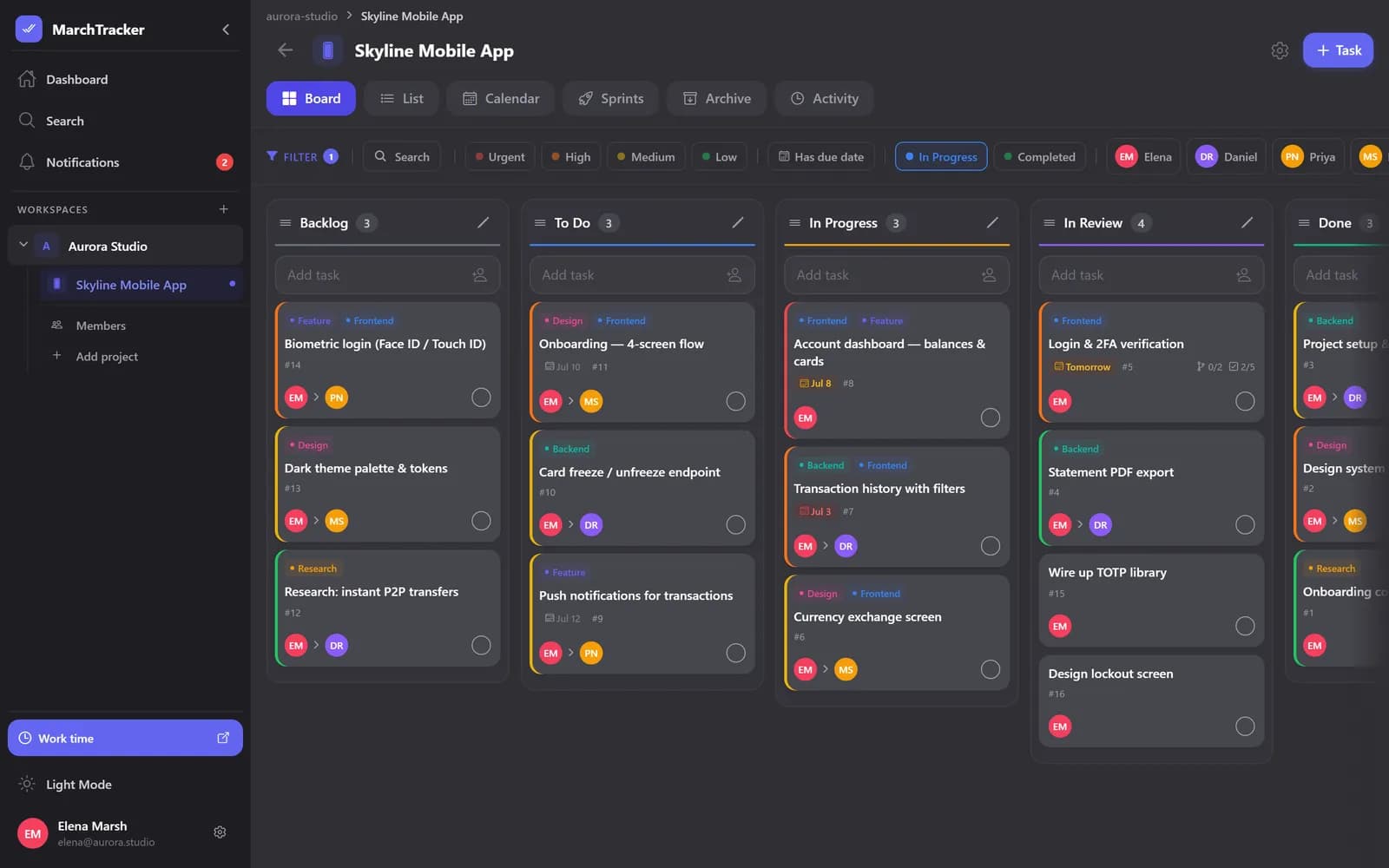
Case study: MarchTracker: A Team Task Tracker for iOS, Android and Web
3 platformsfrom one codebase

MarchTracker: A Team Task Tracker for iOS, Android and Web

Product SaaS

Plan, sprint and ship in one fast workspace. Kanban boards, sprints, a calendar, built-in time tracking and real-time collaboration: one Expo / React Native codebase and a NestJS backend.

3 platformsfrom one codebase
6 viewsof one project
Real-timethe whole team on one board
2 in 1task tracker + time tracking
Case study: Payment System MVP with Banking API Integrations
3.5 mofrom idea to a working MVP

Payment System MVP with Banking API Integrations

Financial technology

An MVP of a payment platform with KYC/AML verification, multi-currency transfers and banking API integrations. We launched it in 3.5 months, in time for an investor demo day, and after the demo day the startup closed its seed round.

3.5 mofrom idea to a working MVP
10K+transactions in the first month of beta
0KYC/AML issues raised by partner banks
Case study: ERP/FSM Platform for Managing Contractors in the US
15 minfrom request to crew assignment, down from 28

ERP/FSM Platform for Managing Contractors in the US

Contractor management

An ERP/FSM (field service management) platform for running field service crews and contractors in the US. It covers the full cycle in one window: request intake, dispatching, GPS tracking of crews, job completion control, billing and analytics. It comes with a mobile app for crews with photo reports and offline mode.

15 minfrom request to crew assignment, down from 28
since 2019platform in production
1 systemrequests, GPS, billing and analytics

«This team built a platform that holds up under 3x business growth. The dispatcher sees every crew in real time and billing runs on its own, so we no longer close the month two weeks late. The team really got the specifics of field service in the US.»

— Raz Bajwa, CEO

FAQ

Frequently asked questions about iOS apps

Answers to the questions we hear most often

A clickable iOS app prototype in 5 days, free

Swift MVP core from $9,900, prototype free

Prices are indicative and not a binding offer.

We build an interactive prototype of up to 5 key screens following Apple's Human Interface Guidelines. You open it on your own iPhone before any contract or prepayment.

Step 1 of 2 · Task

Keep exploring

Read next

Mobile AppsService

Mobile Apps

Custom mobile apps for iOS and Android built with React Native and Flutter. One codebase, two platforms. A clickable prototype free in 5 days, an MVP core from $9,900.

Learn more
React NativeService

React Native

React Native mobile apps: one JavaScript codebase for iOS and Android, shared with your web app, for about 40% less. A clickable prototype free in 5 days, and an MVP core from $9,900 in 6–8 weeks.

Learn more
Kotlin, Flutter or React Native: What to Build Your Android App WithArticle

Development · 16 min

Kotlin, Flutter or React Native: What to Build Your Android App With

We compare three ways to build an Android app: native Kotlin and cross-platform Flutter or React Native. Cost, timelines and performance.

Learn more
Swift, Flutter or React Native: What to Build Your iOS App WithArticle

Development · 16 min

Swift, Flutter or React Native: What to Build Your iOS App With

We compare three ways to build an iOS app: native Swift, Flutter and React Native. Cost, timelines, performance, and when to choose each one.

Learn more