
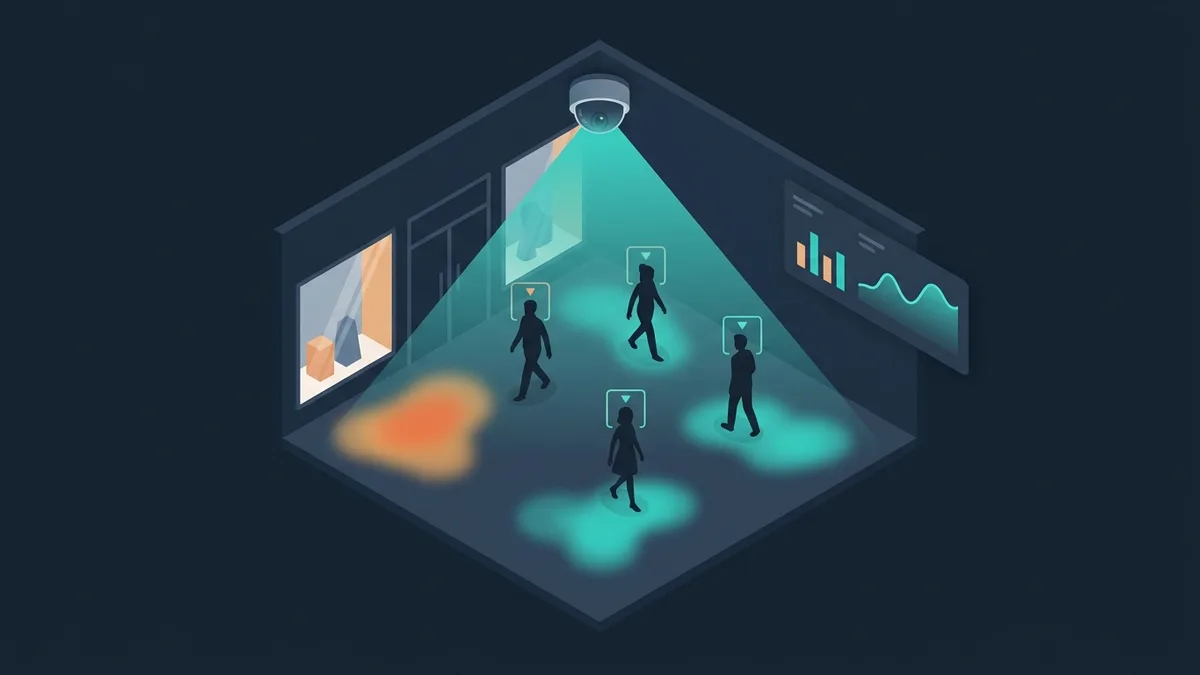

Video analytics is one of the fastest-growing applications of AI. Businesses are realizing that security cameras can do more than record: they can analyze. Visitor counting, service quality monitoring, incident detection, face recognition: all of it runs on the cameras you already have.
Yet most companies use less than 5% of the data their cameras capture. The other 95% is recorded and deleted after 30 days. Video analytics turns that data into business decisions. This article gets specific: which problems it solves, what it costs, how to roll it out and when it pays off.
What video analytics is and how it works
Video analytics is software that analyzes a video stream in real time and extracts useful information: how many people there are, how they behave, events (intrusion, an abandoned object) and attributes (gender, age, emotions).
Technical architecture:
The key difference from machine vision in manufacturing: video analytics works with ordinary IP cameras in ordinary conditions (office, store, warehouse). Machine vision works with industrial cameras in controlled conditions (a conveyor, dedicated lighting). Video analytics is accurate to meters or centimeters and responds in seconds. Machine vision is accurate to millimeters and responds in milliseconds.
8 problems video analytics solves
1. Visitor counting
The most popular use case, 40% of all video analytics projects. Cameras count people at entrances and exits, in store zones, at events. Accuracy is 95–98% when the cameras are positioned correctly.
Business value: traffic conversion (how many of the people who came in actually bought), marketing return (did the promotion bring in more visitors?), staff scheduling (more cashiers at peak hours). Retailers that introduce counting raise conversion by 8–15% through data-driven decisions.
2. Heatmaps and flow analysis
Where people linger, which zones they ignore, how they move through the store. The visualization is a heatmap: red for “hot” zones (lots of people), blue for “cold” ones.
Business value: better store planograms (popular products go into “cold” zones to balance traffic), measuring the return on displays and promo stands, planning wayfinding in shopping malls.
3. Queue monitoring
Automatic counting of people in line and their waiting time. An alert when a threshold is crossed (more than 5 people in line → open another register). Analytics: average queue length by hour, day of the week and season.
Business value: average waiting time down 30–50%, happier customers, better staff schedules.
4. Face recognition
Identifying VIP customers (personalized service), access control at facilities (instead of badges), employee time tracking (no cards needed). Accuracy in 2026 is 99.5%+.
Important: face recognition is regulated by data protection laws: biometric data gets special protection under GDPR in the EU, and several US states have their own biometric privacy laws. Commercial use generally requires the consent of the people being identified. Employee access control is a separate case with its own rules.
5. Security and incident detection
Detects intrusion into restricted areas, abandoned objects, a person falling, fights and aggression, fire and smoke. The alert is instant, not whenever a guard happens to notice it on one of 20 monitors.
Business value: replaces 2–3 CCTV operators and saves their salaries, cuts incident response time from 5–15 minutes to 10–30 seconds, reduces theft losses by 40–60%.
6. Service quality monitoring
Analysis: how many customers each sales associate served, average service time, the share of customers who left without buying (and at what stage). Detects situations like “a customer has been standing at the display for 3+ minutes and nobody has approached them.”
Business value: retail conversion up 10–20%, an objective view of staff performance, training based on real data.
7. Parking and vehicle monitoring
Counting free spaces, license plate recognition (LPR), tracking parking time, detecting violations (parking in accessible spaces, blocking driveways).
Business value: for shopping malls, parking occupancy data feeds decisions on expansion. For residential complexes, an automatic gate that opens by license plate. For logistics, control of vehicles entering and leaving.
8. Visitor demographics
Estimating gender, age group and emotional state without identifying anyone (anonymized analytics). When the data is anonymized and can't be traced to a specific person, data protection requirements are far lighter than for face recognition; check the rules in your jurisdiction.
Business value: targeted ads on digital screens (the ad changes depending on the gender and age of the person in front of the screen), audience analytics for marketing.
How much video analytics costs
What makes up the cost
Cameras (if you need new ones): business-grade IP cameras typically start at around $150 each; outdoor cameras with IR illumination and panoramic (fisheye) models cost more. You can often use your existing cameras, which saves 30–50% of the budget.
Analytics server: a GPU server (NVIDIA T4 class) is the largest hardware item. An edge device (Jetson Orin) costs several times less. A cloud setup replaces the upfront purchase with a monthly fee per camera, with no capital expense.
Software and development: configuring an off-the-shelf platform, $1,500–6,500. Custom development for specific tasks, $7,000–27,000. Integration with your CRM/ERP, from $4,900.
Monthly costs: cloud hosting and per-camera software licenses, depending on the provider and the number of cameras. Support and monitoring, $700–1,700/month.
ROI example: visitor counting in retail
The setup: a chain of 5 stores, average traffic of 500 people a day per store, 5% conversion, average ticket $50.
Visitor counting → conversion data by the hour → optimized staff schedules → conversion up from 5% to 5.8% (+16%).
Revenue growth: 500 × 0.008 × $50 × 30 days × 5 stores = $30,000/month.
Implementation for 5 stores: $27,000. Support: $1,000/month. Payback: less than 1 month.
Video analytics isn't an IT expense. It's an investment in data you don't have today. Without data on traffic, conversion and visitor behavior, you're making decisions blind. With it, you can improve what you can measure.
Video analytics by industry
Retail
Visitor counting, heatmaps, queue monitoring, demographic analysis. Integration with the POS system to calculate conversion. The highest ROI of any industry, because traffic data directly affects revenue. For chains, one dashboard across all locations.
Shopping malls
Traffic counts by zone and floor, parking monitoring, flow analysis (where visitors come from, how they move). The data can be sold to tenants and supports the case for rent levels. Security: crowd detection, monitoring of emergency exits.
Banks
Queue monitoring (a ticketing system plus video analytics), recognizing VIP clients, security (detecting suspicious behavior). Meeting the regulator's security requirements. Integration with the bank's CRM for personalized service.
Logistics and warehouses
Control of vehicles entering and leaving, monitoring of loading and unloading zones, safety compliance (hard hats, high-visibility vests). Detection of dangerous situations (a person in a forklift's path). The payoff: injury incidents down 40–60%.
Hotels and restaurants
Guest counting, dining room occupancy, service time analysis, parking monitoring. In hospitality the key metric is RevPASH (Revenue per Available Seat Hour): revenue per seat per hour. Video analytics provides the data to improve it.
How to roll out video analytics: a step-by-step plan
Off-the-shelf platforms vs custom development
Off-the-shelf platforms
Video management systems with analytics modules (Milestone XProtect, Genetec Security Center): mature platforms that support thousands of camera models, with modules for counting, face and license plate recognition, and event detection. Licensed per camera. Pros: proven, stable, lots of integrations. Cons: limited customization; you're limited to the algorithms the platform and its partners offer.
Cloud camera systems (for example, Verkada): cameras, storage and analytics sold as one subscription. Strongest when you use the vendor's own cameras. Ready-made retail features such as people counting and occupancy.
Enterprise analytics platforms (for example, BriefCam): built for large sites such as malls and airports, scale to very large camera fleets, include business intelligence modules.
Custom development
For tasks that off-the-shelf products don't cover: specialized analytics (process control, non-standard KPIs), integration with in-house systems, detection of rare events specific to your industry. It costs 50–100% more, but you get a solution built precisely for your task.
We build custom video analytics solutions and also help implement and integrate off-the-shelf platforms. More on video analytics for business. For industrial quality control, see AI integration in manufacturing.
FAQ
Can we use our existing cameras?
In 70% of cases, yes. Requirements: an IP camera with RTSP/ONVIF, a resolution of 2 MP or more (enough for counting; face recognition needs 4 MP or more), a stable network connection (2–8 Mbps per camera). Analog cameras won't work: you need an HDCVI/TVI converter or a replacement.
How accurate is visitor counting?
With correct camera placement, 95–98%. What lowers accuracy: a camera mounted too low (people block each other), groups entering at the same time, shadows and reflections. For maximum accuracy the camera is mounted overhead, pointing down at 15–30° from vertical.
Is face recognition legal?
With consent, generally yes. Employee access control has its own rules for consent. For commercial use (VIP identification), each person's separate consent is needed. Anonymized analytics (gender, age, emotions without identification) face far lighter requirements as long as no one can be identified. We recommend talking to a data protection lawyer (GDPR in the EU, state biometric privacy laws in the US) before rollout.
How many cameras does a store need?
Minimum: 1 camera at the entrance for counting. Optimal: 1 at the entrance + 1–2 on the sales floor (heatmap) + 1 at the checkout (queues). For a 200 m² store (about 2,150 sq ft), 3–4 cameras. For a store of 500+ m² (5,400+ sq ft), 6–8 cameras. For a shopping mall, it's calculated case by case.
Can we go with a cloud solution?
Yes, and it saves on capital expense. The video stream goes to the cloud (AWS, Google Cloud, Azure), gets processed there, and the results land in a dashboard. You pay a monthly fee per camera instead of buying a server up front. Good fit: 2–8 cameras, a stable internet connection (20+ Mbps). Poor fit: 16+ cameras (it gets expensive), unstable internet, requirements to store data on-premises.
How is video analytics related to machine vision?
Video analytics is a subset of computer vision adapted to business tasks with ordinary cameras. Machine vision is the subset for industrial tasks with industrial cameras. Both use neural networks (YOLO, ResNet), but with different hardware and different requirements for accuracy and speed. More on industrial use in machine vision in manufacturing.
How long is video analytics data stored?
Video: usually 30–90 days (depending on storage capacity). Analytics data (counts, events, statistics): indefinitely, since it takes 1,000 times less space than video. For 16 Full HD cameras, 30 days of video ≈ 30–50 TB. Three years of analytics data takes less than 1 GB.