
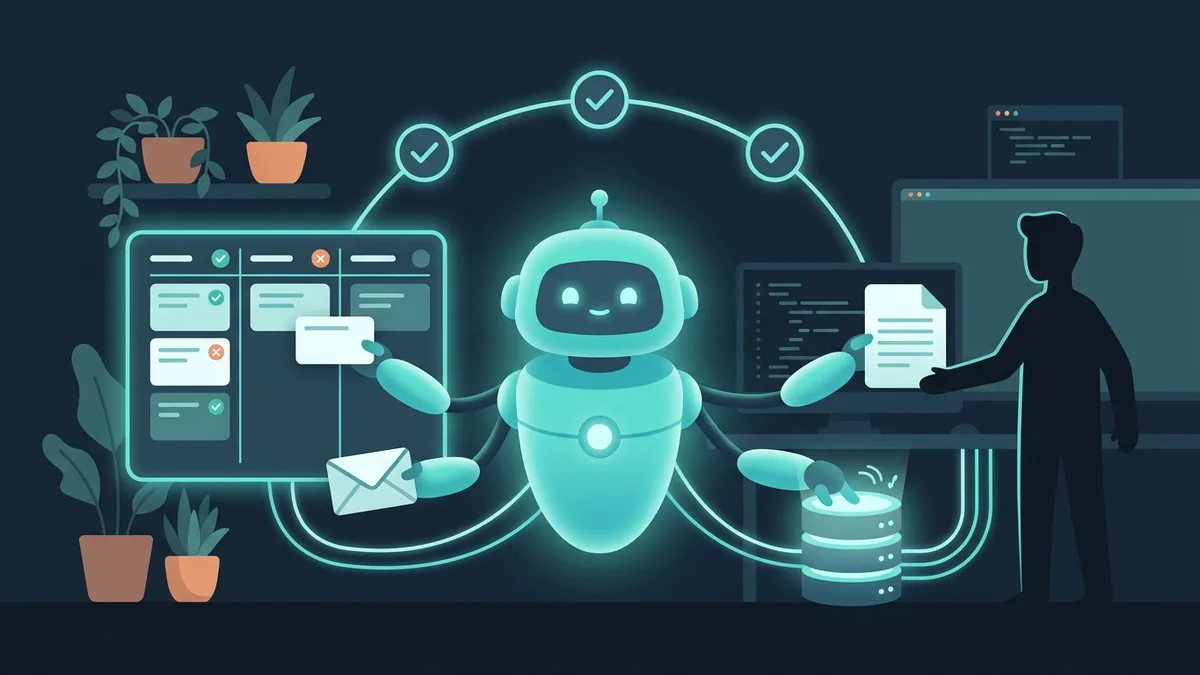

In 2024–2025, “AI agent” became the same kind of buzzword that “ChatGPT for business” was in 2023. The problem is the same, too: 90% of articles about AI agents are written by marketers, not engineers. The promises are sky-high, the examples are abstract, and there's nothing concrete about prices or timelines.
At March Code we've been building AI agents into business processes since 2024. This article covers what they are without the hype, 5 scenarios, how they work technically, what they cost and when you DON'T need an AI agent.
What an AI agent is, in plain language
An AI agent is a program that can carry out tasks on its own, not just answer questions. ChatGPT is a chat: you ask, it answers. An AI agent is more like an employee: you give it a task, and it finds the information it needs, makes decisions and takes action.
Here's the difference in practice:
ChatGPT: “Write a reply to a customer complaint about a delayed delivery” → produces text that a manager copies and sends by hand.
AI agent: receives the complaint → checks the order status in the CRM → finds the reason for the delay → writes a personalized reply → sends it to the customer → creates a task in the task tracker for the logistics team → escalates to a manager if the delay is critical.
The key difference is autonomy. The agent doesn't wait for a person to copy text from a chat into the CRM. It's connected to the systems it needs and carries out the chain of actions itself.
The second important property is context. The agent works with your data: price lists, documentation, the knowledge base, conversation history. It doesn't hallucinate (more precisely, it hallucinates an order of magnitude less often) because it answers from specific facts, not from “general knowledge” about everything in the world.
5 real use cases
1. Handling incoming requests
The task: a service company gets 80–120 requests a day by email, messengers and website forms. A manager spends 3–4 hours on the first pass: read → classify → answer a standard question or forward it to the right specialist.
What the agent does: reads the incoming request → determines its type (question, complaint, order, spam) → drafts a reply from the knowledge base for standard questions → routes non-standard ones to the right employee with a short summary → creates a record in the CRM.
The result: 60–70% of requests are handled automatically. Response time drops from 2–4 hours to 30 seconds. The manager works on complex cases instead of copy-pasting the same answers.
2. Document and contract review
The task: a law firm receives 10–15 standard contracts for review every day. A lawyer spends 40–60 minutes on each one: reading it, looking for deviations from the standard terms, preparing a redline.
What the agent does: takes the contract (PDF/Word) → extracts the key terms (deadlines, penalties, liability, termination procedure) → compares them with the reference template → highlights deviations and risks → produces a report: “clause 5.3: 10% penalty instead of the standard 5%; clause 8.1: no force majeure clause”.
The result: analysis time per contract drops from 45 minutes to 3 minutes. The lawyer checks the agent's findings instead of reading 20 pages of text. Savings: ~200 hours a month at 15 contracts a day.
3. Customer support based on your documentation
The task: a SaaS product with 2,000 customers and a support team of 4 operators. 65% of requests are routine: “how do I set up the integration”, “where do I download the report”, “why isn't the filter working”. The answers are in the documentation, but customers don't want to go looking for them.
What the agent does: it's connected to the knowledge base (documentation, FAQ, changelog, Notion wiki) through RAG. When a customer writes in the chat, the agent finds the relevant article, phrases an answer in words the customer understands (not a copy-paste from the docs) and attaches a link to the source. If its confidence is below a threshold, it hands the conversation to an operator along with the context.
The result: the agent closes 70–80% of requests with no human involved. Response time: 15 seconds instead of 40 minutes. Operators handle complex cases and help improve the product.
4. Document workflow automation
The task: an accounting firm serves 80 client companies. Every month means collecting source documents, reconciliations and reports. An accountant sorts through 500+ documents by hand: statements of work, invoices, delivery notes, payment confirmations.
What the agent does: accepts documents (scan, PDF, photo) → recognizes the type and extracts the data (tax ID, amount, date, counterparty) → checks it against the counterparty database → categorizes it → uploads it to the accounting system → produces a register of anomalies (duplicates, mismatched amounts).
The result: processing 500 documents takes 3 hours instead of 2 days. Recognition accuracy: 95–98% (the remaining 2–5% are unreadable scans, which are checked by hand).
5. Sales team assistant
The task: a company has 15 sales managers. The best one closes 40% of deals; the average one, 15%. The difference comes down to product knowledge, scripts and handling objections. You can't pass on that expertise in a training session; it takes practice.
What the agent does: it's integrated with the CRM and telephony. During a call, it suggests answers to objections in real time. After the call, it analyzes the conversation: which objections came up, how the manager responded, what could be better. It produces a weekly report for the head of sales with metrics for each manager.
The result: average manager conversion rose from 15% to 22%. Onboarding time for a new manager went from 3 months to 3 weeks: the agent works as a “second brain” with the best seller's expertise.
How it works under the hood: LLM + RAG + tools
This section is for CTOs and technical leads. If the business level is enough for you, skip ahead to “What implementation costs”.
The three components of an AI agent
Orchestration: how it all works together
When the agent receives a task, here's what happens:
Step 1. The LLM analyzes the incoming request and plans a chain of actions: “The customer is asking about an order status → find the order in the CRM → check the delivery status → write a reply.”
Step 2. The agent calls a tool: a CRM lookup by order number. It gets the data back: status, ship date, tracking number.
Step 3. If it needs more information, it calls RAG: it searches the knowledge base for the delay policy and compensation terms.
Step 4. The LLM generates the final answer, combining the CRM data and the knowledge base, and sends it to the customer.
Step 5. The agent logs the result: processing time, data sources, confidence score. If confidence is below the threshold, it escalates to a human.
We don't tie ourselves to one model. GPT-4o is good at generating text and working with tables. Claude is good at analyzing long documents and complex reasoning. Regionally hosted models fit when data has to stay in a specific jurisdiction. Open-source models (Llama, Mistral) give maximum confidentiality when everything runs on the client's servers.
What implementation costs
(1 scenario, 2–3 weeks)
(RAG + 3–5 integrations)
(multiple agents, custom build)
What makes up the cost
Audit and discovery (3–5 days, $1,000–2,000). We analyze processes, identify automation points and calculate ROI. The result: a document with 3–5 scenarios ranked by impact vs. implementation cost.
Proof of concept (1–2 weeks, $2,300–5,000). We build a working prototype on the client's real data. You see how the agent handles real requests and judge the quality of its answers. If the PoC doesn't deliver, you've spent a few thousand dollars, not $60K.
Production development (3–8 weeks, $6,500–60K). A complete agent with integrations, monitoring, error handling and a fallback to a human. Most of the cost here goes into integrations with your systems (CRM, ERP, messengers) and “training” the agent on your data.
Operating costs (ongoing). LLM APIs: roughly $150–1,500 a month, depending on request volume. Servers for RAG: $100–300 a month. Monitoring and knowledge base updates: part of someone's time if your own team handles it, or $1,000–2,500 a month on our support.
The economics of a typical project. A contact center with 5 operators at $2,300 a month each = $138,000 a year in salaries. An AI agent handles 60% of requests → frees up 3 operators → saves about $83,000 a year. Implementation cost: $16,500 + $1,000 a month in operating costs = $28,500 for the first year. ROI: about 190% in the first year.
What changed in 2026
The AI agent market moves fast. Here are three shifts from the past year that directly affect business decisions:
API costs fell 5–10x. In early 2025, handling one request through GPT-4 cost roughly 10–15 cents. By 2026 it's 1–1.5 cents, thanks to GPT-4o-mini, Claude Haiku and similar models. That means AI agents now pay off even for small businesses with 50–100 requests a day.
Open-source models caught up with commercial ones. Llama 3.3, Mistral Large and DeepSeek-V3 come close to GPT-4o in answer quality for most business tasks. You can run them on your own servers, so the data never leaves. For companies with confidentiality requirements (finance, healthcare, law), that's critical.
Multi-agent systems became practical. A year ago one agent solved one task. Today several agents work together: one classifies the request, a second searches for information, a third writes the answer, a fourth checks quality. Orchestration with LangGraph and CrewAI lets you build complex workflows without hand-coding every step.
When you DON'T need an AI agent
We're a company that makes money implementing AI. But honesty matters more than a sale. Here are the situations where an AI agent isn't the answer:
How to choose an AI implementation partner
The AI services market is young and chaotic. Plenty of companies resell the ChatGPT API at a huge markup, and few actually build working systems. Here's what to look for:
Ask about RAG. If a contractor offers to “connect ChatGPT to your business” without mentioning RAG, vector databases or fine-tuning, they're reselling an API. An agent without RAG will hallucinate and make up answers. Your chatbot will tell a customer about a discount that doesn't exist, and you'll find out from the complaint.
Insist on a PoC on your data. Not demo data, not synthetic examples: your real documents and requests. A 1–2 week PoC shows whether the approach works before you invest serious money.
Ask what happens when it makes a mistake. A good agent knows when it isn't sure and hands the question to a human. A bad agent confidently talks nonsense. Ask: “How does the system know it doesn't know the answer? What percentage of requests get escalated?” A normal rate is 20–40% at launch and 10–20% after 2–3 months.
Check the stack. The contractor should work with several LLMs (not just GPT), have experience with RAG frameworks (LangChain, LlamaIndex) and be able to deploy open-source models for confidential data. Being tied to one model is a risk: if OpenAI changes its prices or blocks your region, your agent stops working.
Look at monitoring. An AI agent isn't “set it and forget it”. Answer quality has to be tracked: the share of correct answers, response time, number of escalations, user feedback. If a contractor doesn't offer a monitoring dashboard, they're planning to hand over the project and forget about it.
Our approach: a pilot in 2 weeks
At March Code we implement AI agents on the principle of “small bets, fast results”:
We work with GPT-4o, Claude and open-source models and choose whatever solves the specific task best. We don't send client data to external APIs without explicit consent; for confidential data, we deploy models on the client's servers.
FAQ
How is an AI agent different from a chatbot?
A classic chatbot works from scripts: if the user wrote “A”, answer “B”. An AI agent understands context, handles any wording and can carry out chains of actions: find information → make a decision → take action → report back. A chatbot is a decision tree. An agent is an employee with access to tools.
Is it safe to give an agent customer data?
It depends on the architecture. If the agent works through the GPT API, the data passes through OpenAI's servers (their policy says API data isn't used for training, but the data does leave your environment). For maximum security, we deploy open-source models (Llama, Mistral) on the client's servers, and the data never leaves. It costs more, but for financial, medical and legal data it's the only right option.
How long does it take to train an agent?
It depends on the size of the knowledge base. 50 documents (FAQ, instructions): 2–3 days. 500 documents: 1–2 weeks. 5,000+ documents: 2–4 weeks. “Training” here doesn't mean fine-tuning the model (that's expensive and usually unnecessary); it means preparing the RAG: splitting documents, indexing, testing search quality.
What if the agent makes a mistake?
It will make mistakes, 100%. The question is the control system. A good agent (1) cites the source of its answer (a link to the document), (2) shows its confidence level, (3) hands off to a human when confidence is low and (4) logs every answer for auditing. At launch, the error rate is 10–20%. After a month of work and calibration, it's 3–7%. For routine tasks (FAQ answers, classification, routing), accuracy reaches 95–98%.
Can we just use ChatGPT instead of a custom agent?
For personal use, yes. For business processes, no. ChatGPT doesn't know your prices, terms or customers. It will confidently make up answers based on “general knowledge”. A custom agent with RAG answers from your data and honestly says “I don't know” when the information isn't there.
Will an AI agent replace employees?
It won't replace them; it will redistribute the work. The agent takes the routine (standard answers, classification, filling in templates), and people keep what takes empathy, creativity and non-standard decisions. In practice, it's not “lay off 5 operators” but “5 operators handle 3 times as many requests and work on complex cases instead of copy-pasting”.
Where do we start if we want to try it?
Define one specific task: “managers spend 3 hours a day on X”. Not “bring AI into the company”, but one process with a measurable metric. Then a PoC in 2 weeks, an assessment of the results and a decision on scaling.
If you'd like to discuss how an AI agent could work in your business, get in touch. We'll run a free audit: find 3–5 points to automate and calculate the ROI. No commitment: get the analysis, think it over, decide.