
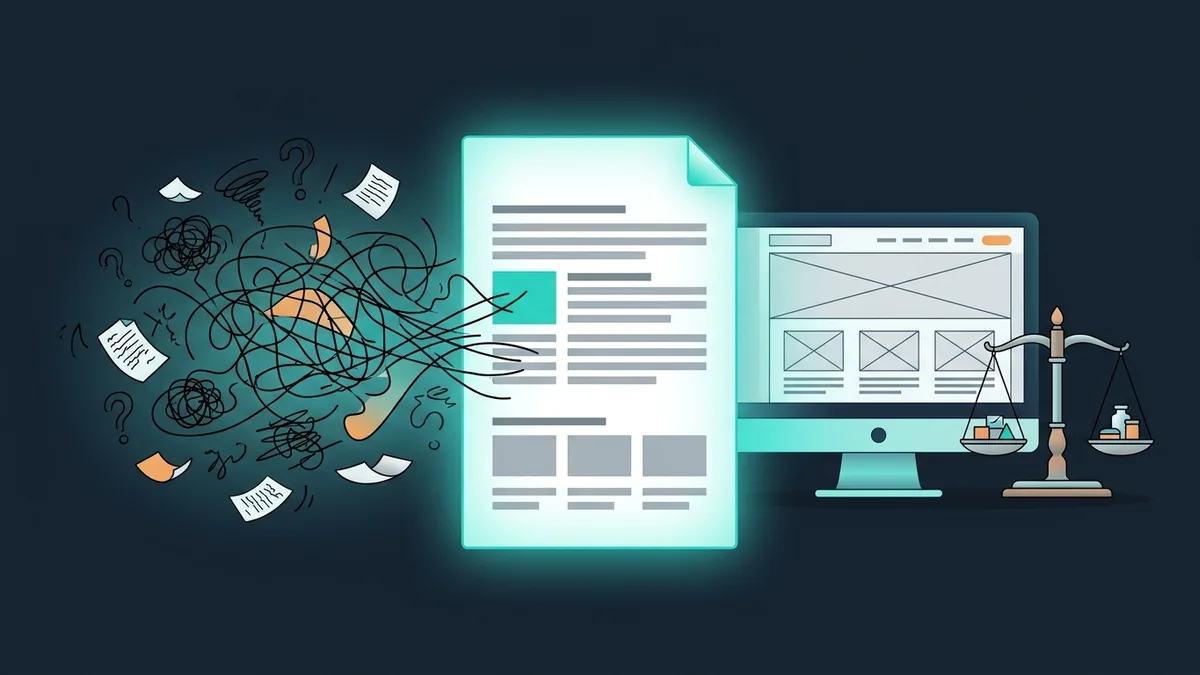

The brief is the first document that decides whether a project succeeds. A bad brief means an inaccurate estimate, fuzzy expectations, endless rework and a budget overrun of 30-50%. A good brief means an accurate estimate (±15%), a shared understanding of the task and a predictable result.
The problem: 70% of clients who come to us for development don't know what to put in a brief. “We need a website” is not a brief. “We need an online store with 500 products, integrated with NetSuite, with a mobile version and a budget of up to $25K” is a brief. This article covers the 12 sections every brief should have, with examples of good and bad wording.
Why you need a brief
A brief is not bureaucracy. It's a tool that saves money and time for both sides: the client and the development team.
What a brief gives the client
— An accurate estimate. The vendor calculates from concrete requirements instead of guessing. The estimate spread is ±15% instead of ±50%.
— Comparable proposals. When 3-5 vendors estimate the same brief, you can compare prices and approaches objectively.
— Expectations on record. “But we agreed on this!” A brief is the written record of what you agreed on.
— Less rework. 80% of conflicts with vendors come from mismatched expectations. A brief cuts that risk by 70%.
What a brief gives the vendor
— An understanding of the task before work starts (not halfway through)
— A basis for the requirements specification
— A way to estimate the timeline and cost
— Input for planning the team
A brief is not the final document. It doesn't replace the specification. The brief says “what we want”, the specification says “how we'll build it”. The client writes the brief, the vendor writes the specification based on it. More on specifications in a separate article.
The 12 sections of a brief
Section 1: About the company
Who you are, what you do, what products or services you offer. This isn't a formality: the vendor needs the context.
Bad: “We are a company.”
Good: “Furniture manufacturer, B2B and B2C, 15 years on the market, 3 showrooms in Chicago, 2,000+ SKUs, revenue of $7M a year. Current website runs on WooCommerce, 10K visitors a month.”
Section 2: Project goal
Why do you need the website or app? What business problem are you solving?
Bad: “We need a new website.”
Good: “The goal is to grow online sales from $150K to $450K a month. The current site doesn't convert: it takes 6 seconds to load, it isn't mobile-friendly, the cart is outdated. We need a new online store focused on conversion and mobile traffic.”
The key point. The goal is always a business metric, not a technology. Not “build it in React” but “raise conversion from 1% to 2.5%”. The vendor will pick the technology: knowing stacks is their job.
Section 3: Target audience
Who will use the product? Age, roles, tasks, pain points.
Bad: “Everyone.”
Good: “1) Retail buyers: women aged 28-45, middle income and above, buying furniture for their apartment. 2) Interior designers: order in bulk, need a B2B price list behind a login. 3) Corporate clients: buy for offices, need procurement paperwork.”
Section 4: Project type
What exactly do you need: a website, an app, a system, a bot?
— Landing page (1-5 pages)
— Corporate website (10-30 pages)
— Online store
— Web application (SaaS, CRM, ERP)
— Mobile app (iOS, Android, cross-platform)
— Chatbot / Telegram Mini App
— Portal / marketplace
— Redesign or migration of an existing project
Section 5: Functional requirements
The most important section. What should the product do? List every feature, grouped by role or module.
Bad: “A regular online store with everything you need.”
Good:
“Catalog: 2,000 products, 5 category levels, faceted filters (size, color, material, price), search with autocomplete.
Product page: photos (4+ angles, zoom), specifications (table), reviews, ‘frequently bought together’.
Cart: add to cart without logging in, promo codes, shipping cost calculation.
Payment: Stripe (cards, Apple Pay, Google Pay), invoice payment for business customers.
Shipping: UPS and FedEx integration + our own couriers.
Customer account: order history, tracking, returns.
B2B section: company account login, wholesale prices, account statements.”
Not sure which features you need? Write user stories: “As a [role], I want to [action] so that [result].” Example: “As a shopper, I want to filter products by size so that I can quickly find one that fits.” 20-30 user stories make a complete brief.
Section 6: Integrations
What does the product need to work with?
— Accounting/ERP system (QuickBooks, Xero, NetSuite, SAP Business One: which one, which version?)
— CRM (HubSpot, Pipedrive, Salesforce)
— Payments (Stripe, PayPal or your bank's gateway)
— Shipping (UPS, FedEx, DHL, DPD, in-house delivery)
— Analytics (Google Analytics 4)
— Email/SMS (Mailchimp, Klaviyo, Twilio)
— Marketplaces (Amazon, eBay, Etsy: stock sync)
— Phone system (RingCentral, Aircall)
Section 7: Design
What do you expect from the design?
— Do you have a brand book or style guide?
— Examples of sites you like (and why)
— Examples you don't like (and why)
— Do you need a design from scratch or a redesign of the current one?
— Mobile: responsive or mobile-first?
Bad: “Beautiful and stylish.”
Good: “Minimalist, like Muji.com. Lots of white space, large product photos, an emphasis on typography. We don't like cluttered interfaces like a typical electronics superstore. Brand book attached.”
Section 8: Content
Who will prepare the content (copy, photos, video)?
— Copy: the client / the vendor's copywriter / SEO content needed
— Product photos: available in high quality / a photo shoot is needed
— Video: available / video production is needed
— Catalog: who uploads the 2,000 products?
A common trap. Development is done, the site is ready, but the content isn't. The launch slips by 1-3 months. Put content preparation into the project plan from day one.
Section 9: SEO requirements
— Do you need SEO optimization?
— Which keywords matter?
— Are there current rankings you need to keep through a redesign?
— Do you need structured data (Schema.org)?
— Multiple languages (regional versions)?
Section 10: Technical constraints
— Technology preferences (if any)
— Hosting: cloud (which one?), a dedicated server, the vendor's hosting
— Security requirements (GDPR, certifications)
— Expected load (visitors a day, transactions a minute)
— SLA requirements (acceptable downtime)
Section 11: Budget and timeline
Yes, name your budget. It's not a weak negotiating position, it's a time saver.
Bad: “We'll discuss the budget. Name your price.”
Good: “Budget: $15-25K. Deadline: launch by September 1, 2026. We're ready to go up to $35K if there's a solid reason.”
Without a budget, a vendor will offer either the minimum (and you won't get what you wanted) or the maximum (and you'll overpay). A budget range works best.
Section 12: Success criteria
How will you know the project succeeded? Concrete, measurable metrics.
— Site conversion > 2.5%
— Load time < 2 seconds (Core Web Vitals in the green)
— 100% mobile-friendly
— ERP integration: stock syncs in < 5 minutes
— Organic traffic > 50K a month after 6 months
Examples of good and bad wording
Checklist before you send the brief
Check your brief before sending it to vendors:
— The project goal is described (a business metric, not “build a website”)
— The target audience is described (who, why, in what context)
— All features are listed (or written as user stories)
— Integrations name specific systems and versions
— There are design examples (like / don't like)
— The budget is stated (a range)
— The deadline is stated (the target date)
— The content plan is described (who prepares it and when)
— There are success criteria (measurable ones)
— The document is structured and readable (not a wall of text)
Send the brief to 3-5 vendors. Compare not only the prices but also the questions they ask. A good vendor asks 10-20 clarifying questions. One who names a price right away without a single question either didn't read the brief or plans to “add everything later”.
Brief vs. specification: what's the difference
People mix them up all the time. The difference is fundamental:
The process: brief → estimate → choosing a vendor → specification → development. The brief is the entry point. The specification is the working document.
Common mistakes in briefs
Mistake 1: A brief that's too vague
“We need a website to sell our products.” That's not a brief, it's a request. A vendor can't estimate a project without details. The result is either an inflated estimate (to be safe) or a lowball one (followed by upsells).
Mistake 2: Technical requirements instead of business goals
“Build it with Next.js, PostgreSQL and Redis.” The stack is the vendor's call. You describe the problem, they propose the solution. Maybe WordPress fits your task better than Next.js. Or the other way around.
Mistake 3: A hidden budget
“We'll discuss the budget after you send your estimate.” The result: the vendor doesn't know what range to aim for. They propose a $100K solution when your budget is $15K. Or the reverse: they trim the solution down to $10K when you were ready to spend $35K. Both sides waste their time.
Mistake 4: “Make it like [competitor]”
You don't know how much your competitor spent on development (most likely 5-10 times your budget). Use competitors as a reference for design and features, not as a specification.
Mistake 5: No priorities
50 features, all equally important. The vendor doesn't know what to build first. Split them into Must Have (we can't launch without it), Should Have (important but not critical) and Nice to Have (if resources are left). That's the MoSCoW method.
FAQ: common questions about a development brief
How long does it take to write a brief?
2-4 hours for a simple project (a landing page, a small website). 1-2 days for a complex one (an online store, an app, a system). The time pays off: a good brief saves weeks of back-and-forth and months of rework.
Can the vendor help me write the brief?
Yes. Many vendors run a free (or paid) briefing session: a 1-2 hour meeting where they help you structure your requirements. It's normal practice, so don't hesitate to ask.
Do I have to state a budget?
You don't have to, but it's strongly recommended. A budget range (from-to) is the best option. The vendor will propose a solution that fits the budget instead of something sky-high.
What if I don't know which features I need?
Start with user scenarios: describe how a customer will use the product. “The customer visits the site → searches for a product → adds it to the cart → pays → gets a notification.” The vendor will turn scenarios into features.
Does every project need a brief?
For projects over about $3,000, yes. For small tweaks (add a page, change a button) an email describing the task is enough. The bigger the project, the more the brief matters.
Can I change the brief after sending it?
Freely, until the contract is signed. Once development has started, changes go through a change request. Every change to the requirements after kickoff means extra time and money. That's why it pays to spend time on the brief before work begins.
What's the best format for a brief?
Google Docs or Word: easy to comment on and edit. Notion: for structured data. PDF: for the final version. Excel: only for tables (price lists, a feature matrix). Don't use a presentation (PowerPoint): the text matters more than the visuals.